How do I cancel my subscription that I bought from the App store on my Mac device?
Published Dec 19, 2018 · Updated Aug 13, 2026
Note: Before canceling your subscription, please sign in to the Apple ID with which you originally purchased your Premium subscription.
# To cancel auto-renewal from your Mac device:
Open the App Store app.
Click the sign-in button
 or your name at the bottom of the sidebar.
Click
 View Information at the top of the window. You might be asked to sign in.
On the page that appears, scroll until you see Subscriptions, then click Manage.
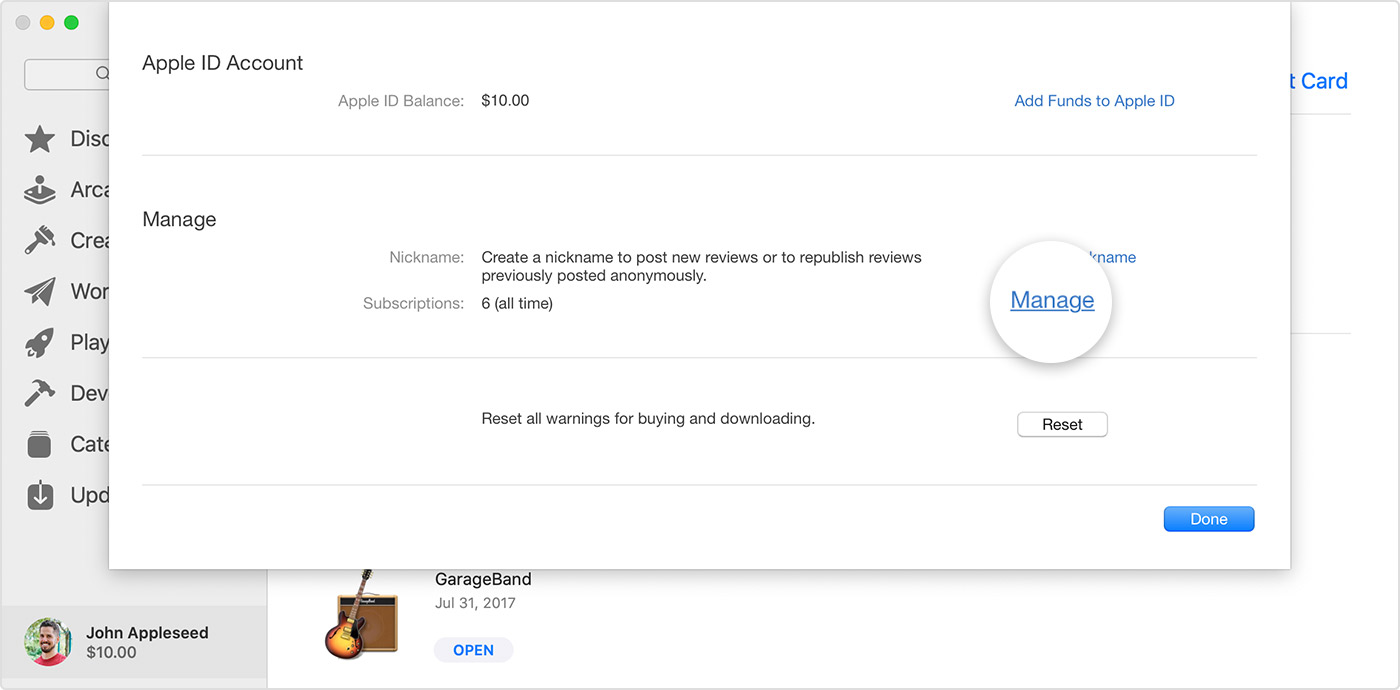
Click Edit next to the subscription.
Click Cancel Subscription. If you don’t see Cancel Subscription, then the subscription is already canceled and won't renew.
You may also find this article on Apple’s website helpful as a direct guide to cancel the subscription.