How do I request a refund I made through the Google Play store?
Published Jan 29, 2019 · Updated Aug 13, 2026
Request A Google Play Store Refund On Your Android Device
On Android Mobile
Open the Google Play Store
Select the Betternet application
In the subscription section, tap "REFUND"
Tap "YES" to confirm your refund.
On a Computer
To get a refund from Google Play through the web, please fill out their online request form here.
Please be aware that Google sometimes puts an authorization hold on any Play Store subscriptions. You can read more about Google’s authorization policy here.
Google Play only allows 48 hours to request a refund through the app store. However, Betternet has a 45-day refund policy.
*If you missed the 48-hour Google Play request window, please contact our Help Center with your GPA order number and Google Play email address that's associated with your purchase so that we can issue a refund for you.*
(If you are canceling because you were not satisfied with our application, or you're having technical issues, please contact us. We're happy to help.
To contact us you can submit a request through our App.
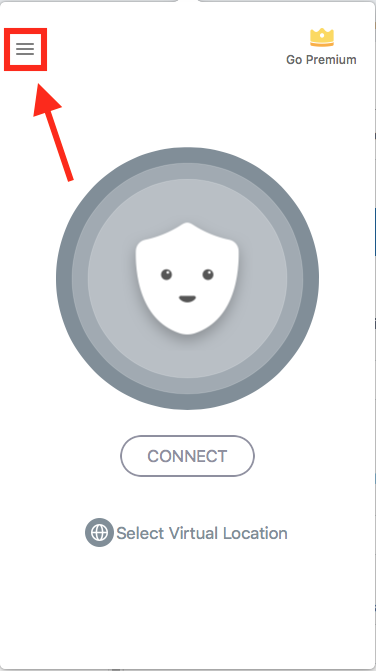
Open the Betternet App
Click on the Sandwich icon
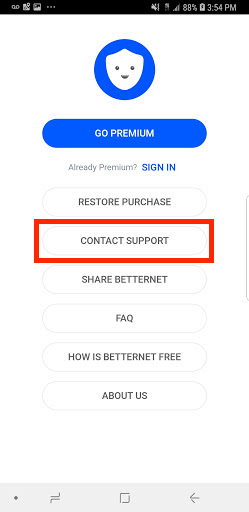
Select "Contact Us"
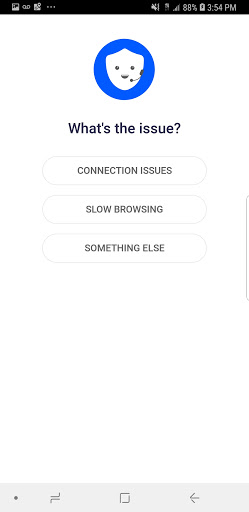
Select the reason that best describes your issues and write us an email
 ,
,