How to change your Virtual Location on iOS?
Published Jan 31, 2019 · Updated Aug 13, 2026
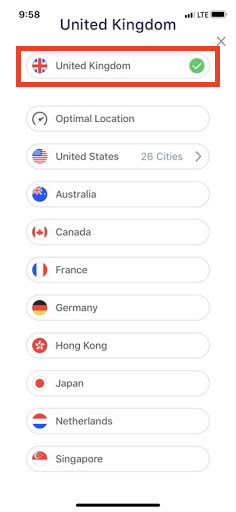
Premium users can choose and switch between various Virtual Locations. Currently, Betternet offers 10 country locations and 22 cities within the US as locations you can connect to. If you have a Premium subscription, please make sure you are signed in to your Premium account to enable all Premium benefits.
Get access to all Virtual Locations. Changing Virtual Locations is a Premium feature. If you already have a Premium subscription, sign in to your Premium account from the Betternet app to enable all Premium features. If you would like to upgrade here is a link to Premium.
Changing Virtual Locations
To change your Virtual Location:
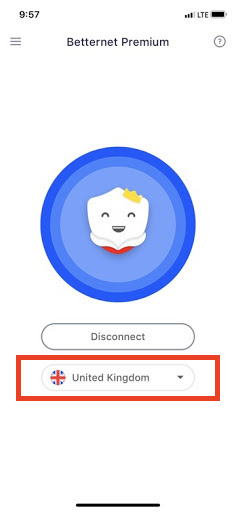
Tap on the drop-down menu next to the "country" or "US City" you are currently connected to select the Virtual Location you wish to connect to.
A box will appear with a list of all the Virtual Locations, continue to select the Virtual location you are wanting, and you will be protected again.
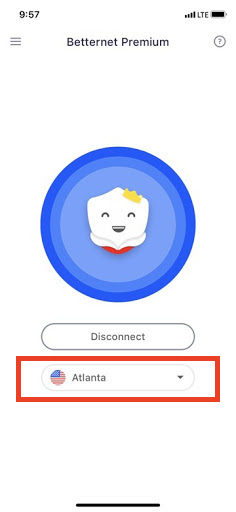
You can verify the virtual location you are connected to by going to this website HERE.