How do I sign in to my Premium account on my Android device?
Published Jan 29, 2019 · Updated Aug 13, 2026
Linking a device to your Premium account is easy, and we're here to show you how. Just follow these simple steps:
Open the Betternet Application
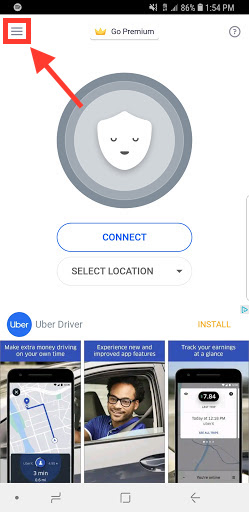
Click on the Sandwich icon
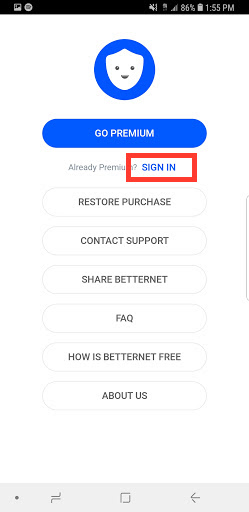
Click on "Sign in"
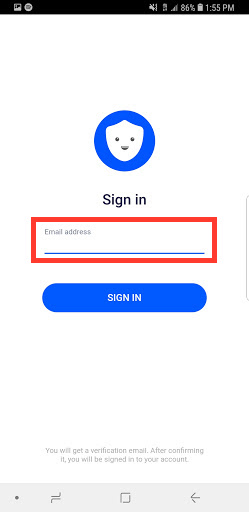
Enter the email address associated with your account and click "SIGN IN"
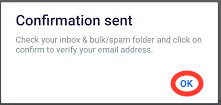
A message will appear that says "Confirmation Sent"
Now go check your email for our email (you may have to check your junk/spam folder as well
Open the email titled "Betternet: Sign in the request"
Click on "Link new device"
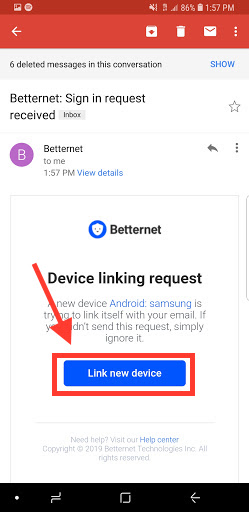
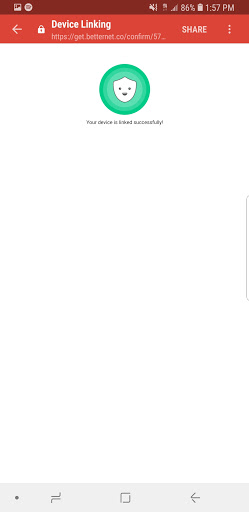
You should now get confirmation that says "Your device is linked successfully!"
Now you can go back to your application and confirm that your account is Premium
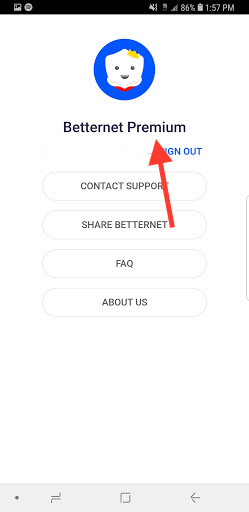
Now go enjoy your Premium account!